The web console
The control plane serves a web console on the same port as the API, :8787 by default (HANGAR_PORT). Open it,
paste an API token, and it shows the fleet.
The server prints a bootstrap admin token when it first starts. It saves it to ~/.hangar/bootstrap-token, in its
data directory. The console uses an admin's routes, so use an admin token; the token stays in that tab's session
storage until you choose Sign out or close the browser.
The top bar's first four sections are where the work happens, each with a count:
- Needs you: what waits on a person;
- Jobs and Sessions;
- Fleet: every agent, as a list or a board (below).
The other six are Environments, Credentials, Snapshots, Connect (MCP snippets and API tokens), Activity and Usage. Activity is the audit log, filtered by who and action; Usage shows spend and budget stops.
The Fleet and Needs you stay current from GET /api/fleet/stream, or every 4 seconds when the stream is not
available. The other open sections refresh every 4 seconds while the browser tab is visible. Elsewhere, the Needs-you
count refreshes about every half minute.
On a phone (below 760 px) the first four sections move to a bottom tab bar. The other six, with the providers' state, sit under More. The console follows the browser's light or dark setting. Terminals are always dark.
Fleet
Every agent, whoever started it: a job, a session, or a person directly. The headline counts the fleet ("26 agents.
5 need you, 3 stopped."). It shows how many of the hangar's slots (HANGAR_MAX_SANDBOXES) are in use and what the
live turns spent.
New sandbox starts one or more identical sandboxes from an environment, each on its own numbered work branch.
Show stopped adds stopped sandboxes. The Owner chips keep one person's agents (?owner=, kept in the URL as
#fleet?owner=priya).
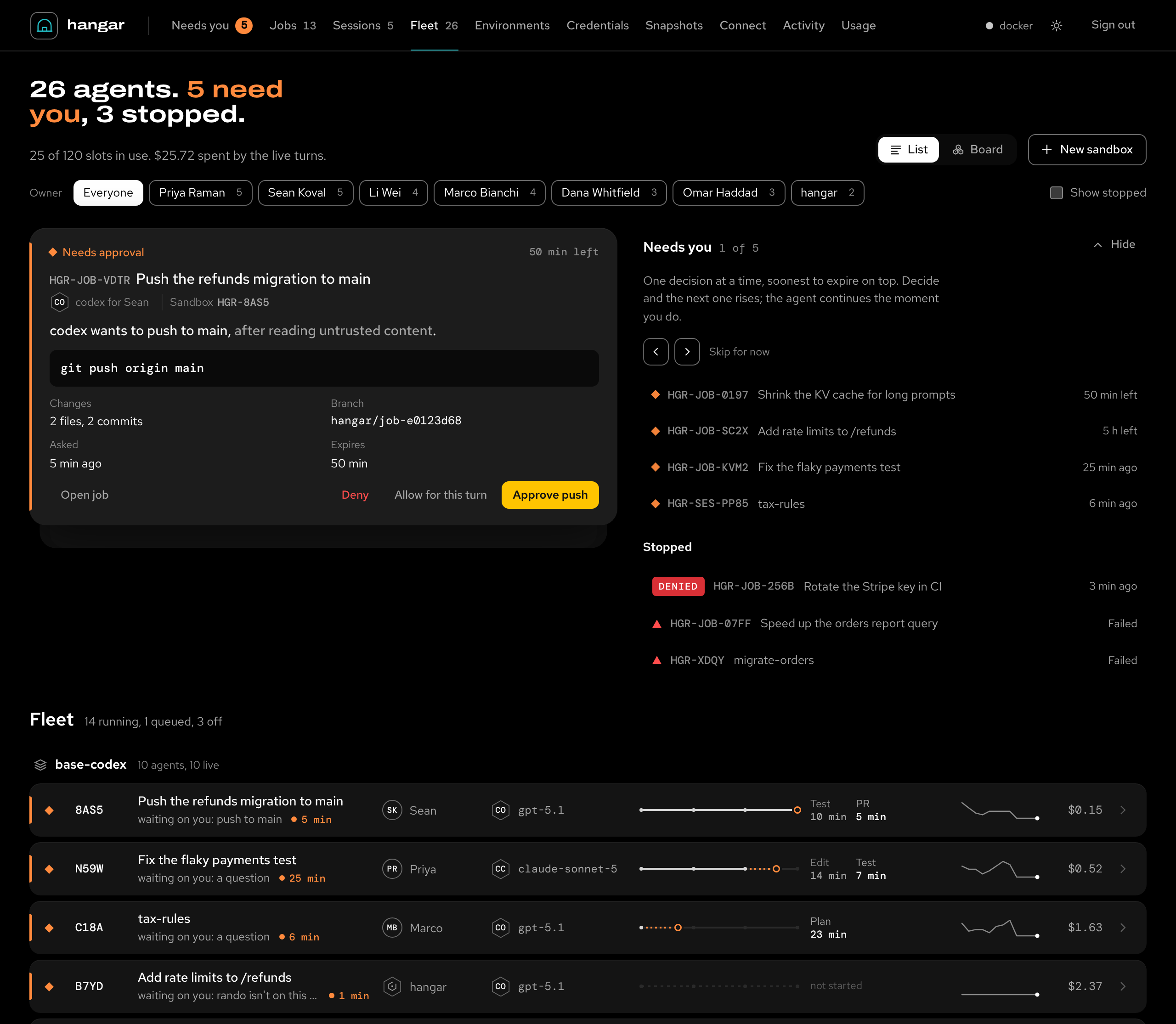
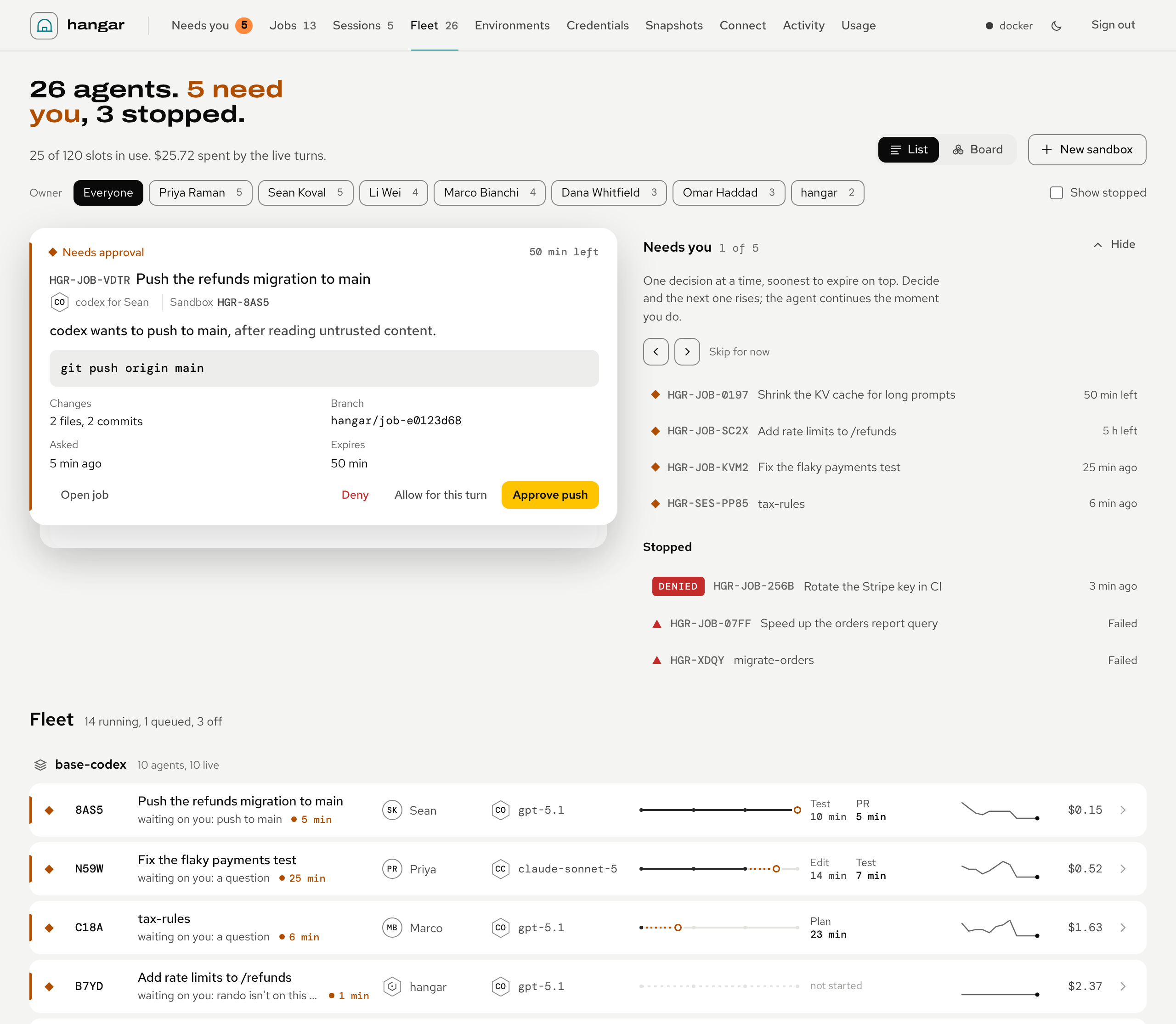
Under the header is the deck from Needs you, as a band you can hide (it remembers). Then
comes every agent, grouped by environment, attention first: what needs you, failed, denied, running, queued, spun down.
There are two views of the same agents with one selection, kept in the URL (#fleet?view=board) and remembered:
- List (the default): one row per agent. It starts with its status mark, its sandbox's tail number (
8AS5) and the work's title. Then what it is doing now: "running pytest -q", "editing api/orders.py", "waiting on you: push to main". - A heartbeat shows the time since the agent last did something, breathing while it runs and orange while it waits on a person.
- Each row then has the owner, the agent and model, and the stage rail (plan, edit, test, PR). Last come the last two stages' times, a sparkline of its tokens over the last hour, and its spend.
- Board: the same agents as cards. A card has the agent, the tail number, a stage ring, the work and the now-line. It ends with a stage capsule, and the owner with the status word or the heartbeat.
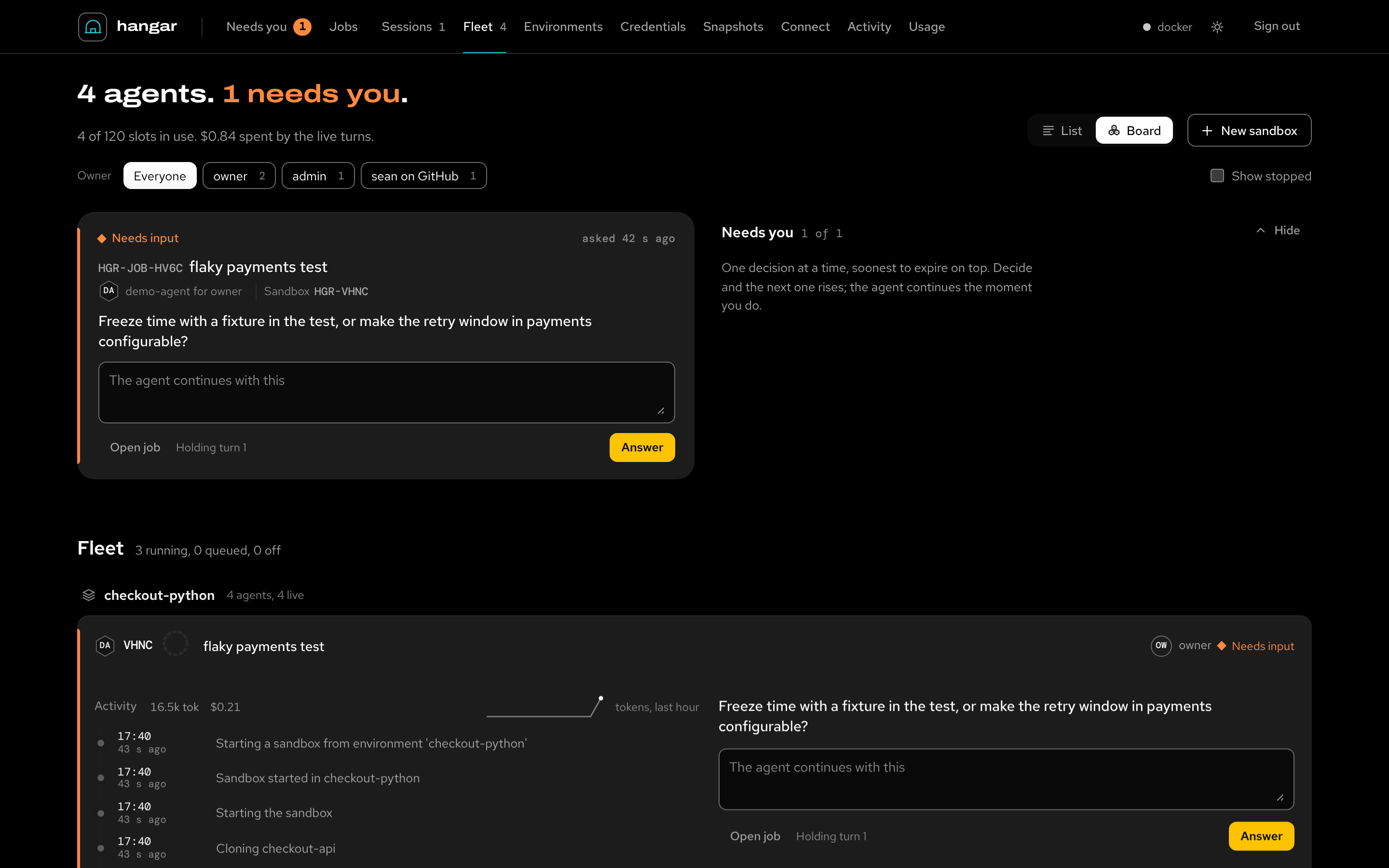
IDs show as tail numbers (HGR-8AS5); hover or copy one for the real ID.
The rail fills solid only when the agent reported its progress (hangar-agent progress --pct). Otherwise the current
stage is dotted and its head hollow: the server's estimate from how long the stage usually takes, labelled "about
45% (estimate)". Rows and cards update in place as the agents work; nothing moves under the pointer.
What each mark means, and the keys that move through the Fleet, are on the status key and the keyboard.
An agent, opened
Select a row or card (or press Enter on it) and it opens in place. First the decision, when one waits, decided here as on the deck.
Then now: the now-line with its heartbeat, the labelled rail, the owner, agent, model and repo. It also shows the sandbox, branch, age, spend and lease, and every sandbox action.
Then the activity: the files, commits, tokens and spend so far, and the token sparkline. Its timeline shows the wall-clock time and how long ago. It lists the stages, the job's own steps, and what the agent ran, edited, reported, asked or hit (a run of edits is one line). Only the opened agent is followed live.
Moved from this page
| Section | Now on |
|---|---|
| Needs you | Needs you |
| Jobs | Jobs and sessions: jobs |
| Sessions | Jobs and sessions: sessions |
| The status key | The status key and the keyboard |
| Keyboard | The status key and the keyboard |
| The data | The status key and the keyboard: the data |
| Terminals | Sandboxes and terminals |
| Hide, Destroy and Snapshot | Sandboxes and terminals |