Jobs and sessions in the console
The console's Jobs and Sessions sections: what each list shows, what an opened one offers, and how you message its agent. The rest of the console is on the web console.
Jobs
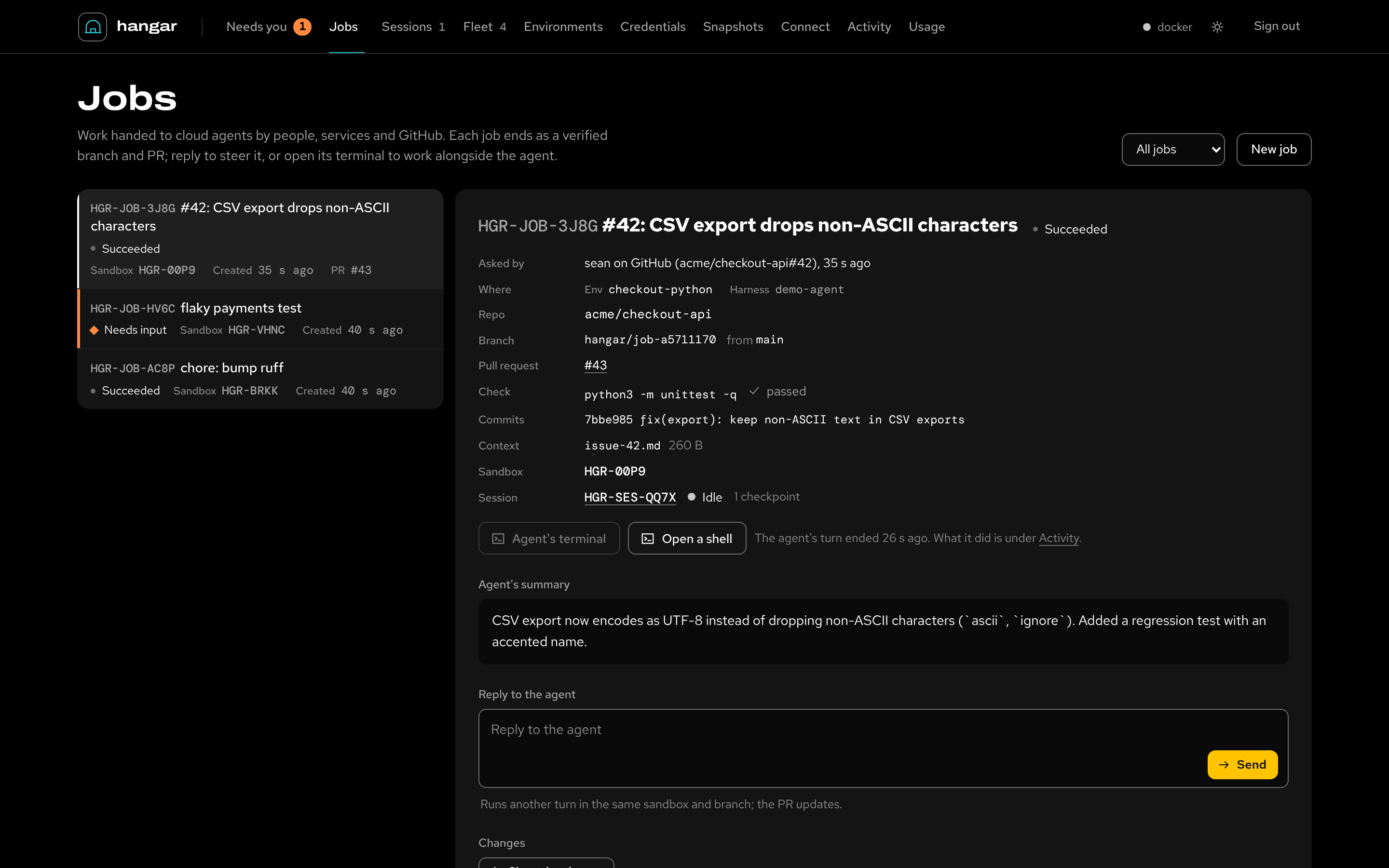
Work handed to cloud agents by people, services and the front doors. The list filters by In progress, Succeeded, Failed or Cancelled. A job shows its agent's Fleet status, Denied included.
New job submits one with its instructions, environment, agent, model, repo and base branch. It also takes the
check command (Check with) and what to deliver: a draft PR, a PR, a branch only, or nothing. Then come the minutes
per turn, and context files and links. Files go to ~/.hangar/jobs/<job>/ beside the repo, never into it.
Choose a job to see what waits on you (its cards, on Needs you), then:
- who asked and through which door, where it runs (environment, agent, model), its repo and branch, the pull request and the check's result;
- the agent's summary and, when the check failed, its output;
- the agent's question, or the message box (below);
- Changes: Show the change reads the commits, uncommitted edits and new files against the base. It reads them from the sandbox or its last checkpoint, and shows a diff per file.
- Comment on a line of a change, and the comments go to the agent with your next message. Each carries its file, line and the line itself. Send comments sends them on their own;
- Decisions: the tool calls decided in the running turn, allowed or denied, with the reason and who decided;
- Activity: what the agent did (messages, tool calls, commands, file changes), with tokens and cost;
- the Timeline of the job's events, its Turns, and its Instructions.
The message box. While the agent's turn is running, the box steers it. The message applies after the current tool call, and shows as queued until the agent has it. A one-shot agent can't take a message mid-turn, and the box says so.
Once the job has finished, Reply to the agent runs another turn in the same sandbox and branch, and the PR updates. A job whose sandbox was released resumes from its last checkpoint. Ctrl+Enter (⌘+Enter) sends.
While a job runs, Watch the agent opens the agent's own terminal, and Open a shell opens another one in the same sandbox. Cancel job stops the agent after you confirm; work committed so far stays in the sandbox and on the branch. See jobs and steering.
Sessions
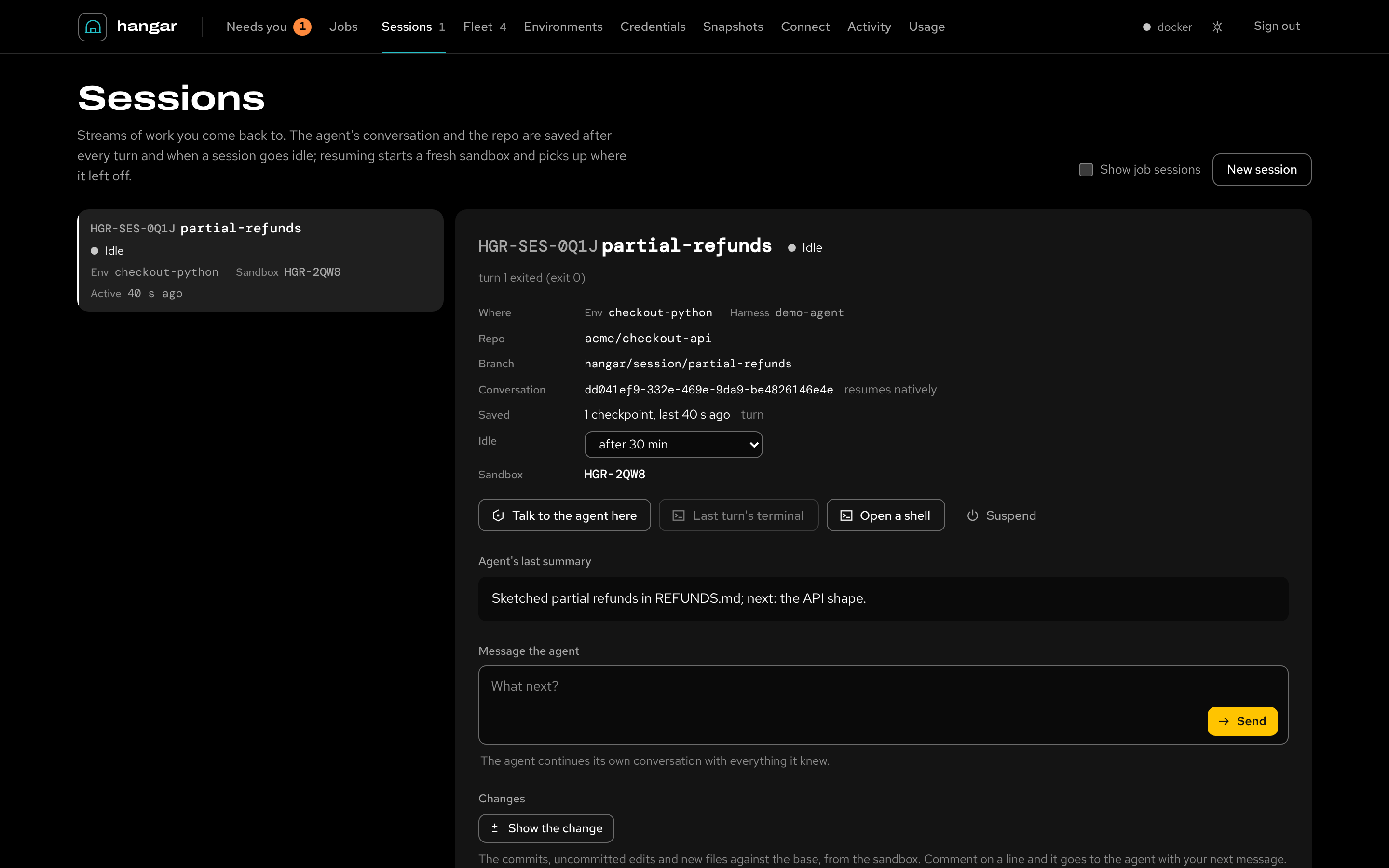
Streams of work you come back to. The list shows your own sessions; Show job sessions adds the ones jobs run in. New session takes a name, an environment, an agent and an optional first message. Without a message the sandbox just opens.
A session's panel shows what waits on you (its cards, or the agent's question). It shows its conversation (resumed natively, or by a summary handoff), its checkpoints and its idle setting.
The idle setting suspends it after 15 minutes, 30 minutes, 2 hours or 8 hours idle, or keeps it up until you suspend it. Then come Changes, Decisions, Activity and Turns, as on a job. From there:
- Message the agent: an idle or suspended session starts a turn (a suspended one resumes first). While the agent is busy, your message queues and applies after the current tool call. Until the agent has it, the queued row has a × to take it back.
- Resume (or Open, before anything was saved) starts a fresh sandbox from the last checkpoint.
- Talk to the agent here resumes the agent's conversation interactively in a terminal, between turns.
- Last turn's terminal, Open a shell and Suspend (save, then release the sandbox).
A session that carries a job takes its messages on the job. See sessions.